The Account Center User Menu provides you with details related to your organization's account. Under this menu, you'll find the Change Log, Organization Profile, your User Profile, the Audit Trail for this account, and the Logout option.
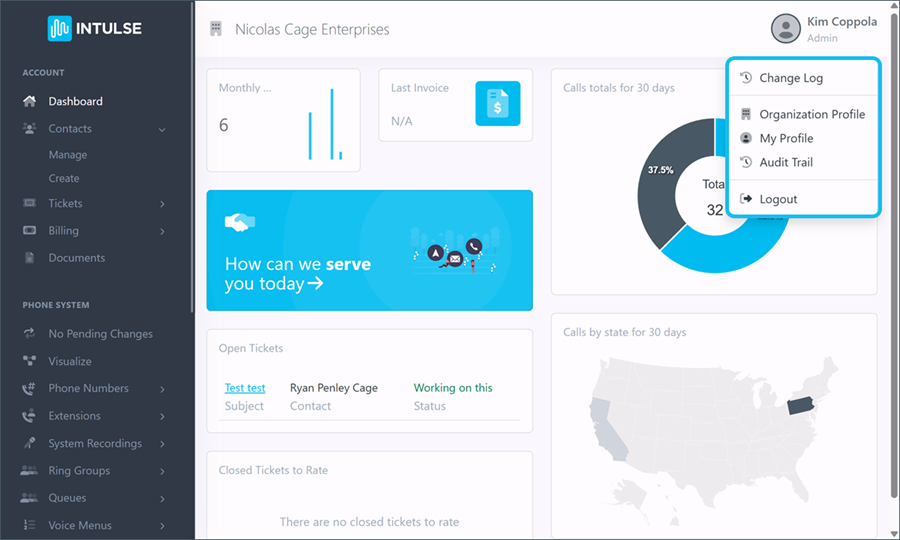
The Change Log displays all updates published to the Account Center, , inlcuding bug fixes, enhancements, and new features, with the most recent updates liste3d first.
beginning with the most recent.
The Organization Profile tab displays all the information related to your account. **This screen is not visible to contacts with a Normal security role.
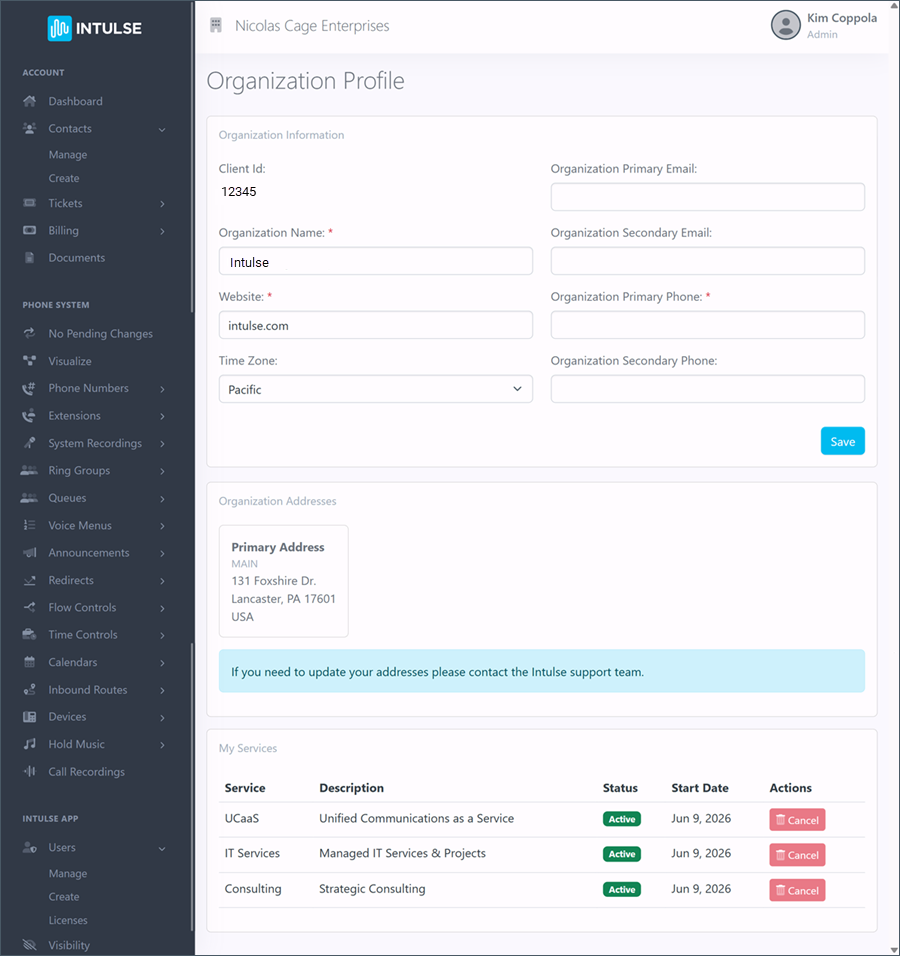
The Organization Information can be updated by your system administrator and includes the following details:
Your Organization Addresses reflect any physical and/or mailing addresses you have on file with Intulse. These can be updated by contact our support team.
The My Services tab displays all of the services currently included in your Intulse contract. You'll see the Status of each service, along with the Start Date for that service and a Cancel button.
Only the Owner of your organization can cancel services for your organization. This will automatically open a support ticket, outlining action steps that need to be taken and initiating the cancellation process with our support team. You can add collaborators to this ticket, but all actions will need to be approved by the organization owner.
Your Profile tab displays information specific to your Account Center settings.
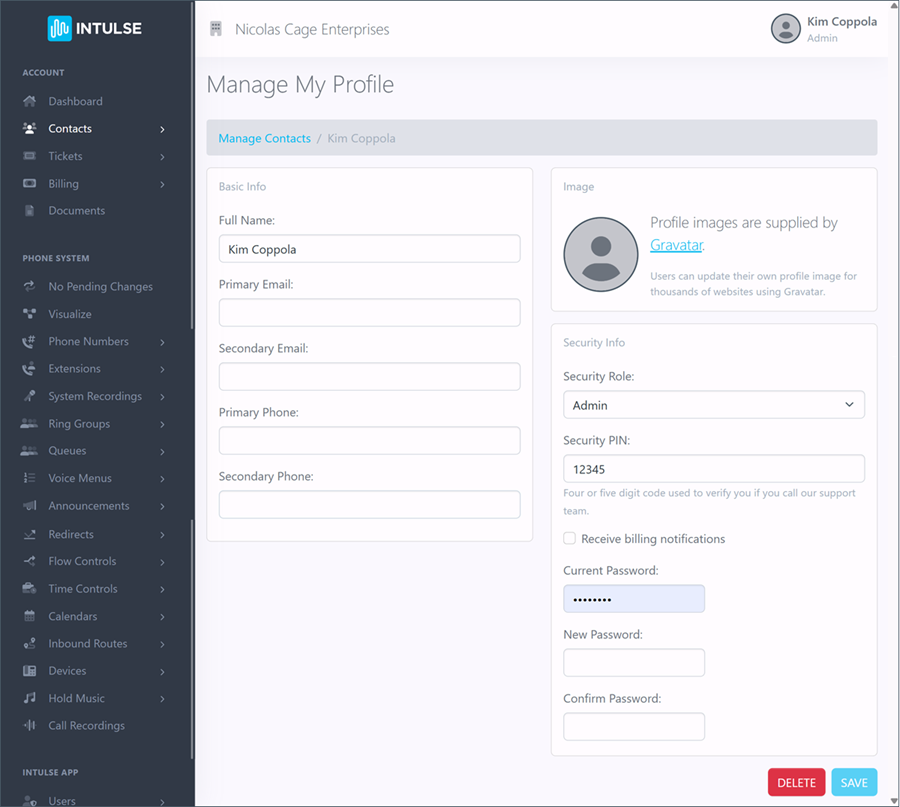
You can update your Basic Info card with the following details:
Your Profile Image can be created in Gravatar and will be applied across all Intulse tools, including the App.
Your Security Info card includes the following information:
Security Roles and Billing Notifications can only be updated by Admin or Owner contacts.
The Audit Trail is a chronological record tracking all administrative changes, user activity, and system login events..
Select this to log out of the Account Center when you finish making and saving any changes.
