The Intulse and Subsplash integration connects your phone system directly to your Subsplash account, making it easier to manage and track communication.
Subsplash Integration Key Features
With the integration enabled:
- Anywhere in the Intulse App that normally shows a plain phone number will instead automatically look up that number in Subsplash and display any matching records.
- Incoming calls will show the caller’s name as it appears in your Subsplash records. Click the name to open their record in Subsplash.
Call Logging
Each call log automatically includes:
- User and extension connected to the call
- Date, start time, and duration
- Direction (inbound or outbound)
- External phone number
- A copy of the call recording (if the call was recorded)
- You can also add your own notes to any call log for future reference.
Text Message Logging
- If enabled, Intulse can log text messages with your Subsplash contacts. A log of all text messages is created nightly.
Starting Calls & Texts
- From the Intulse App, you can search for a Subsplash contact by name on the Phone screen and start a call instantly.
- With the Intulse Companion App installed in your browser, you can start calls or text conversations directly inside Subsplash by simply clicking a phone number.
To experience the integration between Intulse and Subsplash, you will need to use the Intulse App.
If you would like to have the Subsplash integration enabled for your account, please contact Intulse support and we would be happy to get you connected.
CONNECTING SUBSPLASH TO INTULSE
This guide assumes that you have already installed and logged into the Intulse App on your favorite device. If you need help installing and navigating the App, click here for a complete walkthrough.
All Users
Each user in the Intulse system must complete the following steps.
- Open the Intulse App and select the More menu tab.
- Click Integrations then select Subsplash from the list.
System Administrators
Only system administrators can update the following settings for your Subsplash integration.
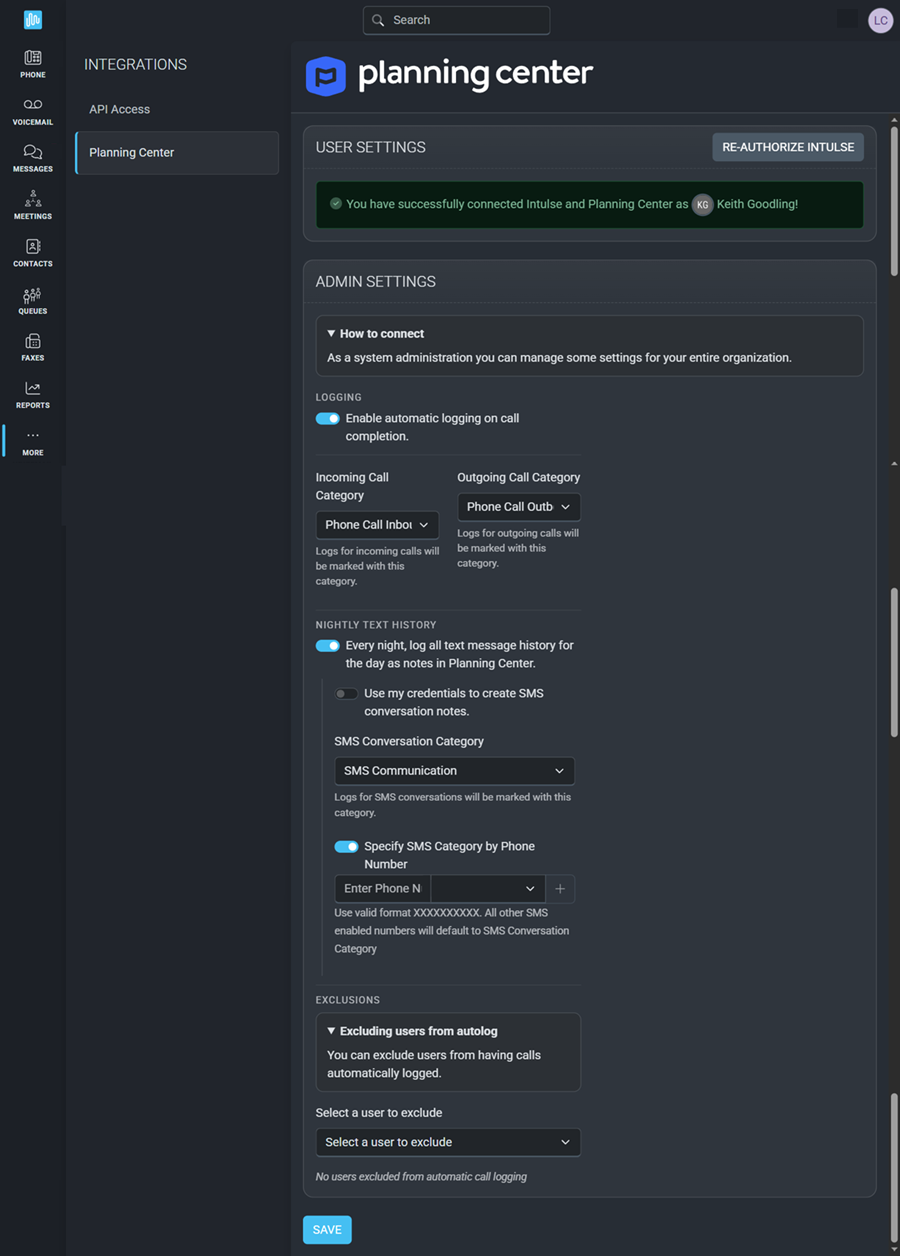
- Choose if you wish to Enable automatic call logging for your church.
- Select the Call Category with which incoming and outgoing calls will be marked.
- Choose whether you want text message logs created for your organization each evening.
- At least 1 admin must check the credentials box to have texts logged for all users.
- Select the SMS Conversation Category under which texts should be logged.
- If you want to specify an SMS Category by Phone Number, enter the Intulse phone number and select the category. Multiple phone numbers can be entered here.
- Use the drop-down list to select users who should be excluded from automatic call logging.
In order to fully benefit from this integration, both Subsplash and the Intulse App should be open and running in the background of your device
For more information about Subsplash, check out their website!