
This is NOT specific to marketing campaigns. In this context, the campaign is your texting profile. It explains how you will use text messaging to interact with your clients. You must complete this process if you want to be able to text your clients at all.
Campaign vetting is a manual process during which your website will be reviewed for a detailed privacy policy and online presence that matches what is stated in this campaign. Once you submit your campaign for review, you will be locked into a 3 month agreement with TCR, even if your campaign is denied. Texting services will be paused and it will cost $20 every time a campaign fails and must be resubmitted so follow this guide carefully and reach out to our support team if you need clarification.
The following use-cases are NEVER allowed:
Campaigns related to this content will be rejected.
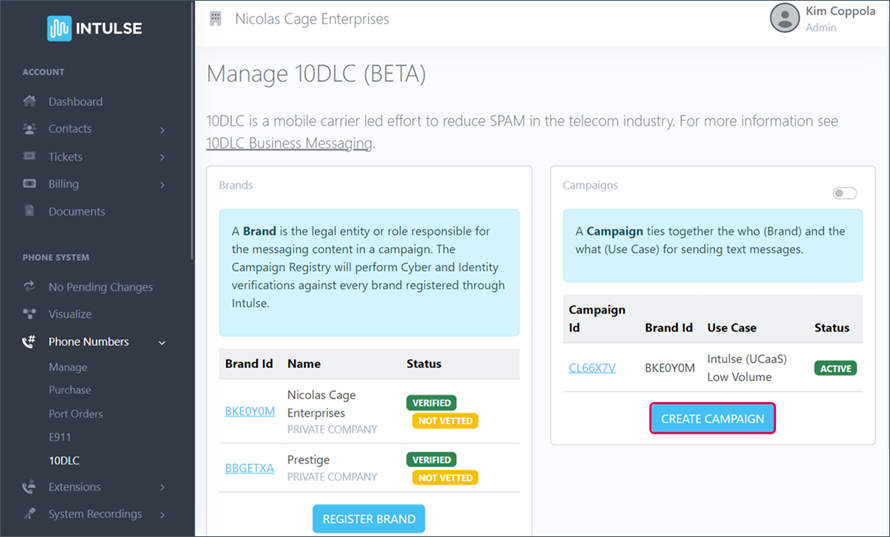
Click the blue CREATE CAMPAIGN button.
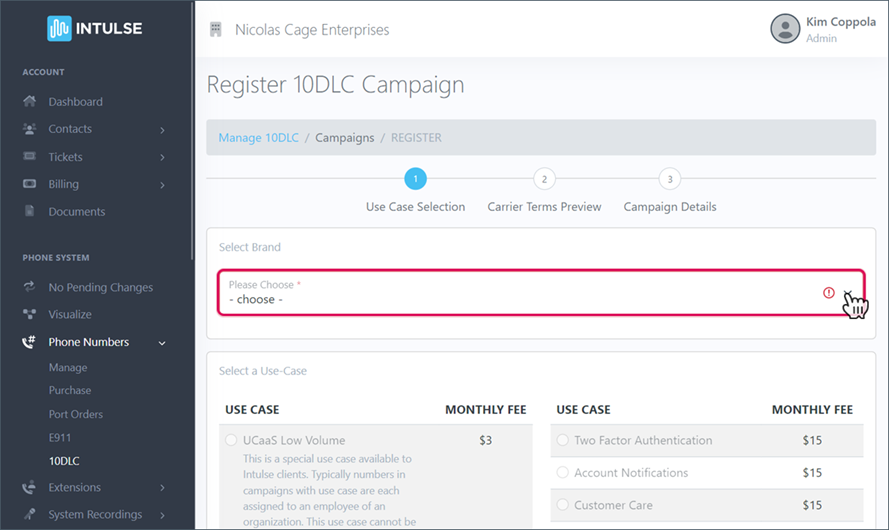
SELECT THE BRAND that this campaign will be applied to. Only valid, verified Brands will appear on this drop-down list.
SELECT ONE USE CASE for this campaign. You will be presented with a selection of use cases based on the business type selected when registering your brand. Click HERE for a full description of each use case option.
It is essential that you select a Use Case consistent with the types of messages you will be sending out through this campaign. In a future step you will provide sample messages and if they do not match the use case selected here, your campaign will not be approved. For example, if you select charity as your use case but send appointment reminders, your campaign will be rejected.
UCaaS is the best Use Case if you are not bulk messaging as it allows for more conversational texting. (Bulk messaging refers to sending out large numbers of messages to many recipients at once, such as mass alerts, reminders, or marketing texts.)
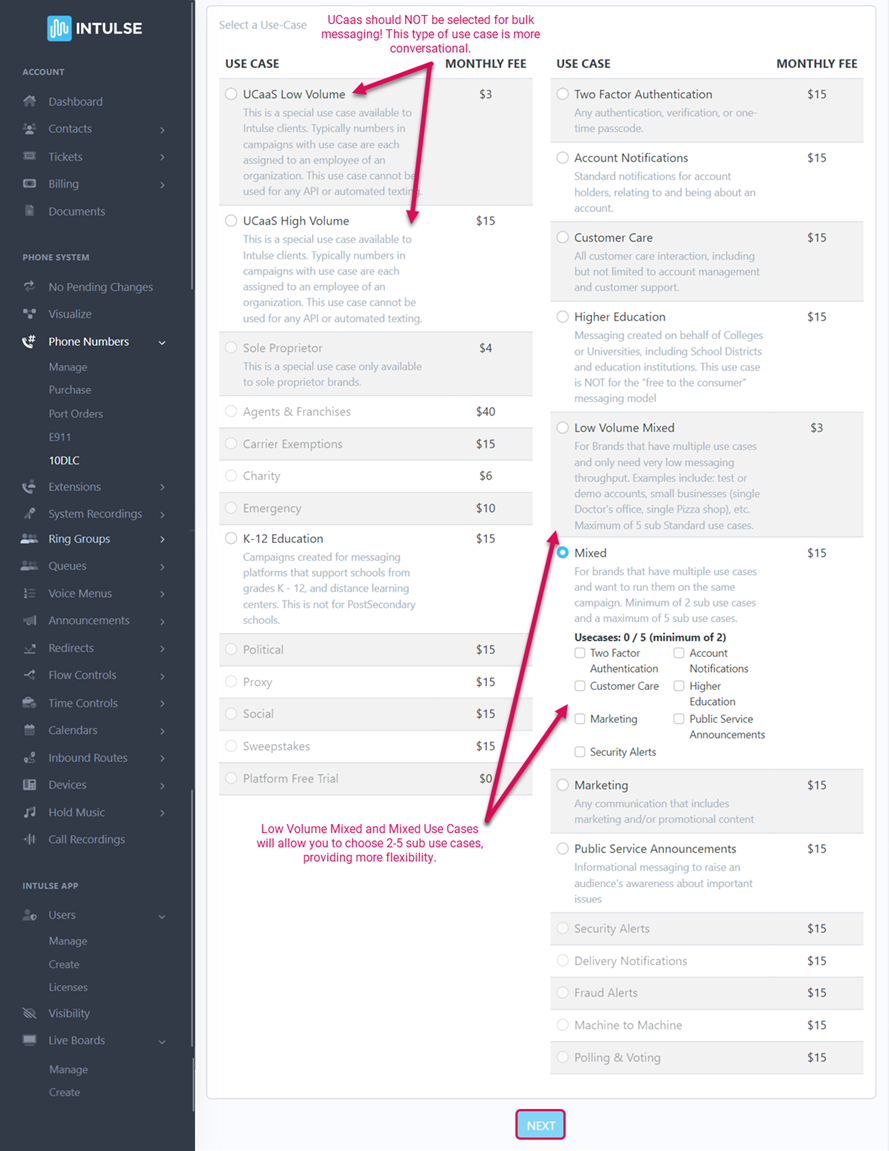
You will incur a monthly charge based on the Use Case you select in this step.
When you click the blue NEXT button, you will see a chart displaying the terms for each carrier.
These qualifications, rates, and limits are set by the mobile carriers and are subject to change without notice. Intulse has no control over them.
Each mobile carrier has its own 10DLC policies and terms. The Carrier Terms Preview page allows you to see the terms of a campaign for each carrier based on the selected Use Case and Brand before you complete registration. Review this page to ensure you are happy with the terms. If not, you can abandon the registration process and apply for third-party brand vetting.
There is nothing to select; this page is informational only.
The preview will provide you with the following information:
Click the blue NEXT button.