2. REGISTER YOUR BRAND
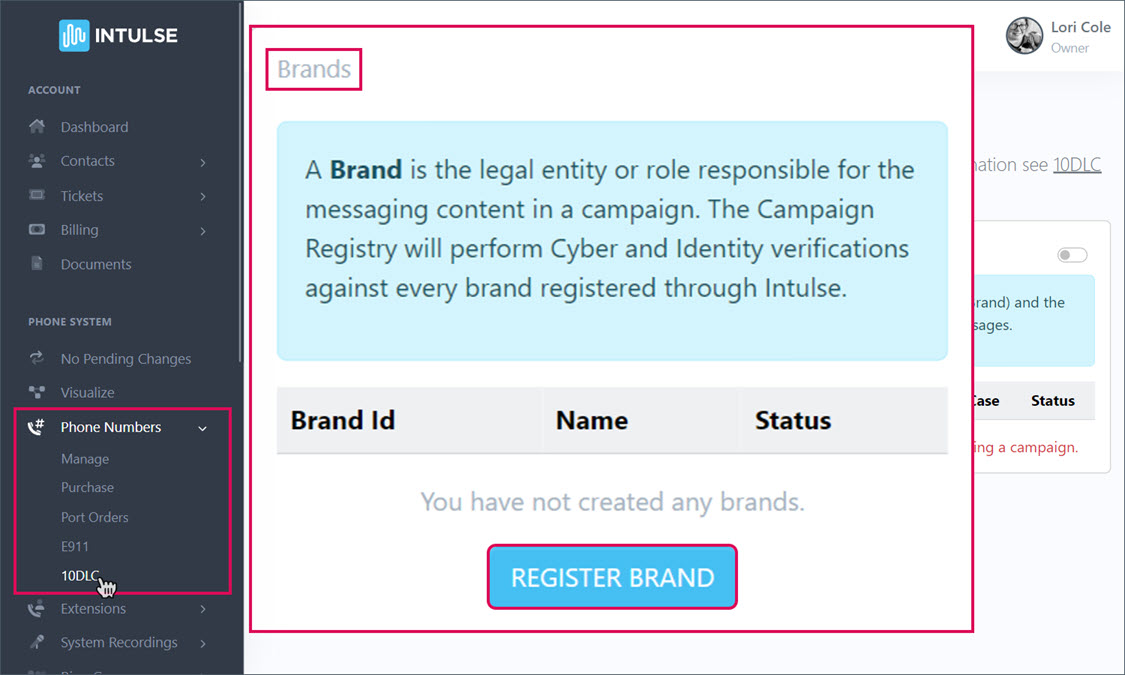
A "Brand" is the company that will use SMS to communicate with customers. TCR will perform Cyber and Identity verification against every brand registered through Intulse.
Brand Registration Requirements
- The brand is the message sender - the tax ID number (EIN) and company name should reflect the message sender, not the reseller. It must match your tax documents exactly. For example, if you're tax documents register your business as "BusinessName, Inc" you cannot simply register your brand as "BusinessName". It must be an exact match.
- Website - you must provide a secure website representing your business. The website should include the following information: About Us, Contact Us, Terms & Conditions, and Privacy Policy. Opt-in and opt-out information should be displayed clearly and conspicuously on the website.
- Phone number and email - these should use the brand's domain (gmail, yahoo, etc will not be accepted) and should be found on the Contact Us or Support page of the company website.
- RESELLERS, register the brand info, not the agency or software provider behind the brand. Make sure that Know Your Customer (KYC) is clearly laid out in the campaign. Remember the brand is the message sender – the EIN and company information should reflect the message sender, not necessarily you as the reseller. For example, if the band name is ABC Wireless Reseller, but their sample content is all appointment reminders for a doctor's office, they will be rejected. Instead of the software company (ABC Wireless Reseller), the brand should be the doctor's office sending appointment reminders.
- Must meet requirements to be a Verified Brand.
- Companies that share consumer information with third parties will not be approved.
- Unique contact information is required for each brand. TCR prohibits use of the same contact information for multiple brands.
Click the blue "REGISTER BRAND" button.
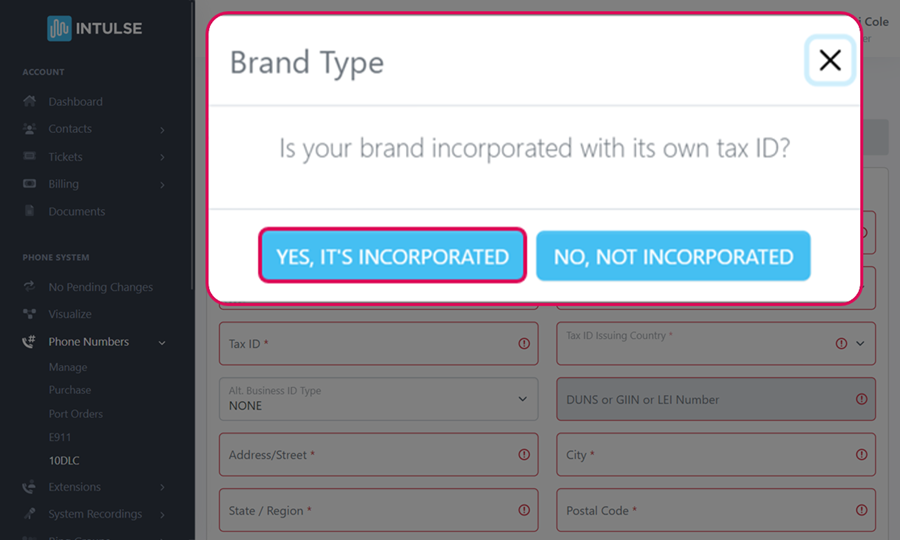
Is your brand incorporated with its own EIN? If yes, click "YES, ITS INCORPORATED.
Complete the BRAND REGISTRATION FORM - The information entered here MUST match what's on your website!
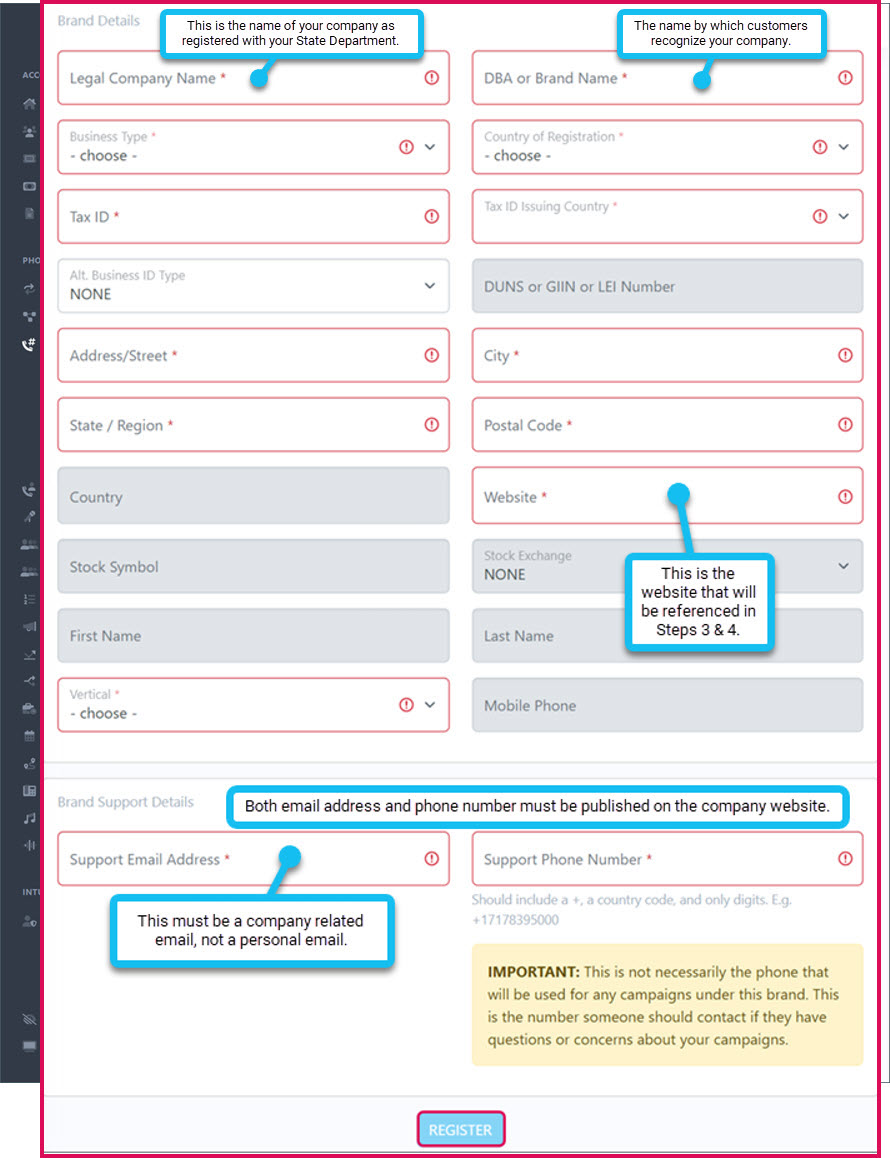
Fill in the following information about your Brand. This MUST match the information on your website!
- Legal Company Name: name under which your business is registered for taxes and official government purposes
- DBA or Brand Name: front-facing name that customers and clients know your business as
- Business Type: private company, publicly traded company, non-profit, or government corp
- Country of Registration: country where your business is registered
- Tax ID: EIN (Employer Identification Number) for incorporated businesses You can only register ONE brand per EIN.
- If your primary business registration is in Canada, enter the first 9 digits of your Business Number (BN). Alternatively, you can enter your Corporation/Incorporation Number or your Registry ID.
- Tax ID Issuing Country: country issuing your tax ID number
- Alt Business ID Type: DUNS, GIIN, LEI, NONE by default
- DUNS, GIIN, or LEI Number if selected
- Address/Street: Business address State must be valid 2 letter abbreviation
- Website: your company's website (must begin with http:// or https://)
- Stock Symbol: (Only for Publicly Traded Companies) the abbreviation used to identify your company on the stock exchange
- Stock Exchange: (Only for Publicly Traded Companies) select the exchange where your company is listed
- Vertical: select the sales vertical or industry that your company's offerings are specifically catered towards
Brand Support Details
- Support Email Address: company related email address where you can be reached for questions or concerns about your brand or campaign
- Please check to make sure that the correct email address was added. It is expected if the legal company name is well-known and recognized that it will have an official company email domain. For example, a large bank (ABC BANK) would not be using an email address like jsmith@gmail.com. We would expect the email to match the business such as jsmith@abcbank.com.
- Support Phone Number: the phone number where you can be reached for questions or concerns about your brand or campaign
- This phone number should include a +, a country code, and only digits. E.g. +17178395000
Click the blue REGISTER button.
You will be charged an $8 ONE TIME Brand Registration fee.
Read the agreement details, click the box to Create billing for this brand registration and click the blue APPROVE REGISTRATION box.
IF YOU ARE A PUBLICLY TRADED ORGANIZATION, you will receive a verification email. You must follow the link in that email and fill out the necessary information to verify your brand. TCR will NOT ask for user credentials, SSN, nor solicit money during this verification.
It will only take a few moments for you to receive an update on your verification status.
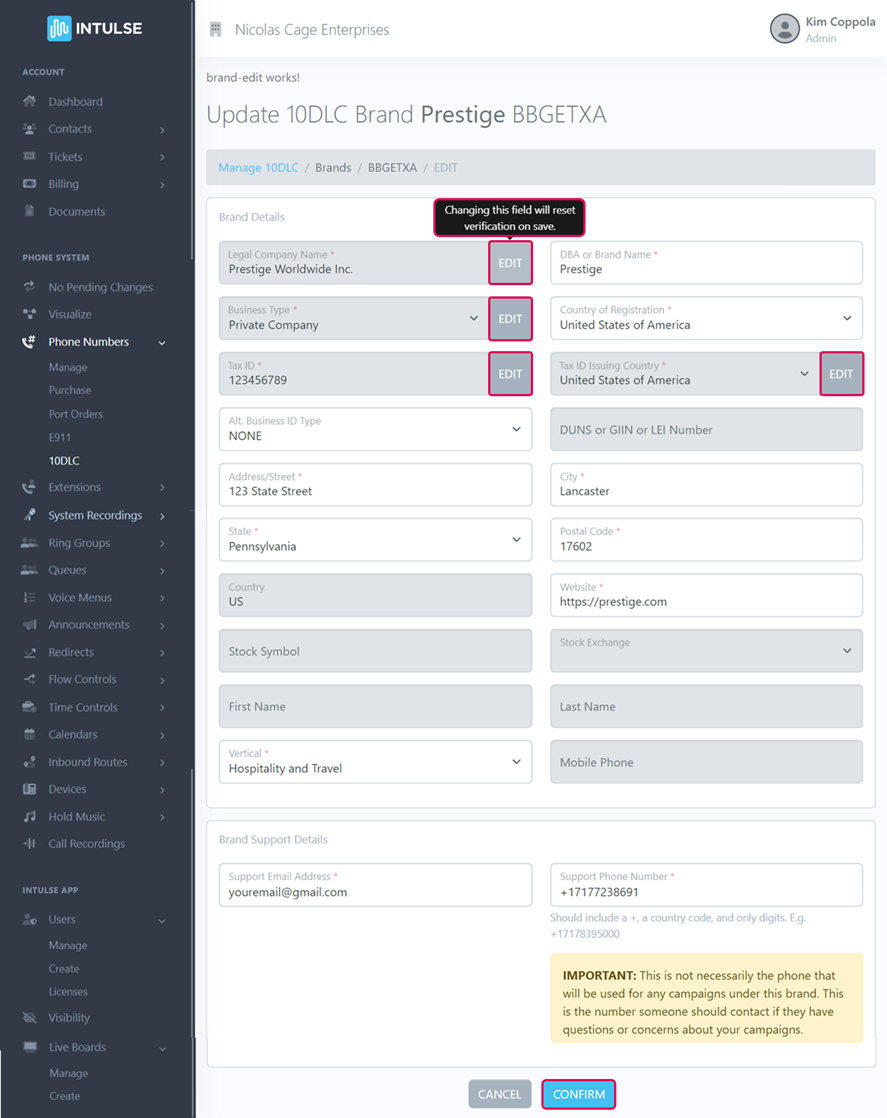
If your brand is UNVERIFIED, you can edit it to correct any information that was entered incorrectly. Any field with an "Edit" button will incur an additional $8 Resubmission Fee. For assistance, open a ticket in the Account Center so our support team can help identify the problem and get this resolved for you as quickly as possible.
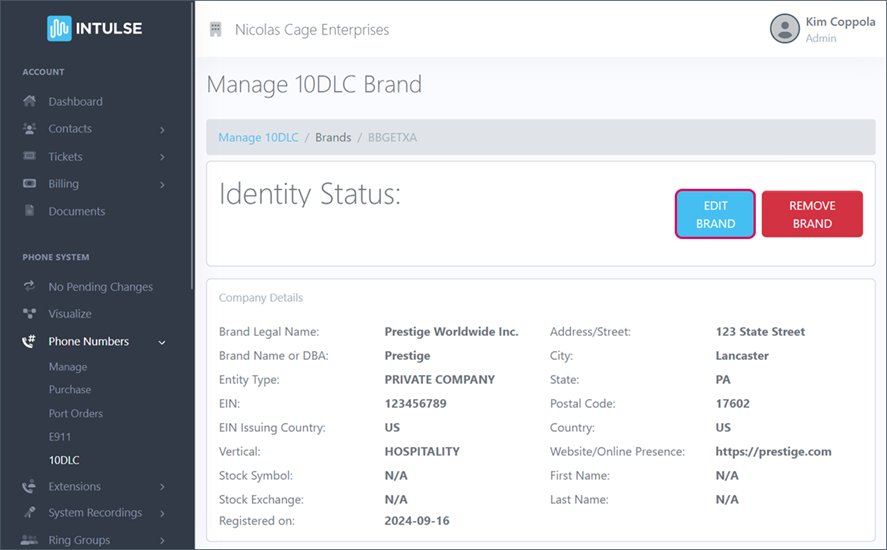
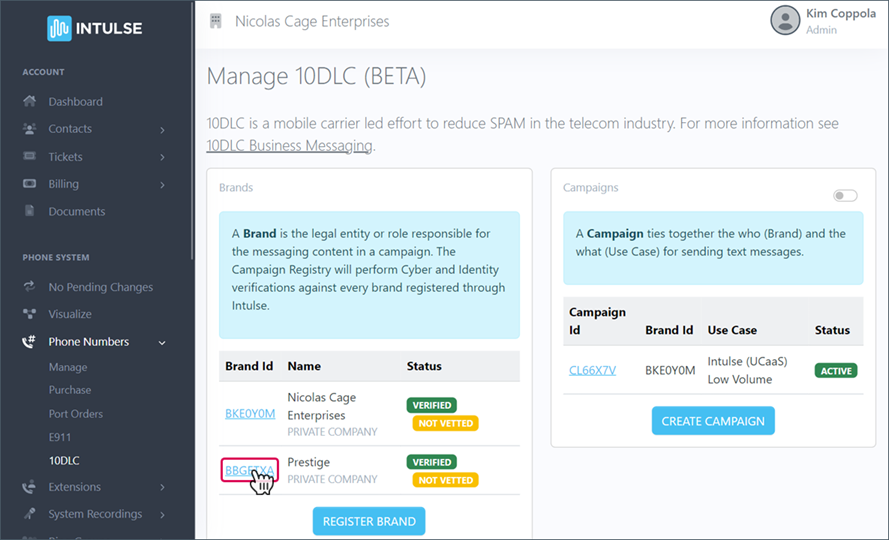
To edit your Brand, click on the Brand ID.
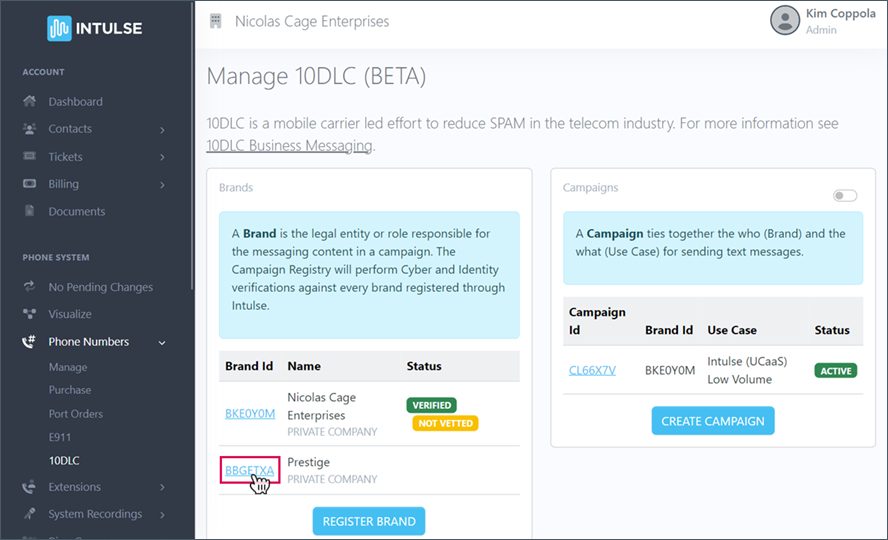
Then click the blue Edit Brand button.
Any box that allows you to just click and type will not trigger a resubmission fee.
Any box that has an Edit Button WILL TRIGGER AN $8 RESUBMISSION FEE once you click the blue Confirm button.
Once you see Identity Status: VERIFIED, you are ready to continue.
A. Third Party Vetting (of your BRAND)
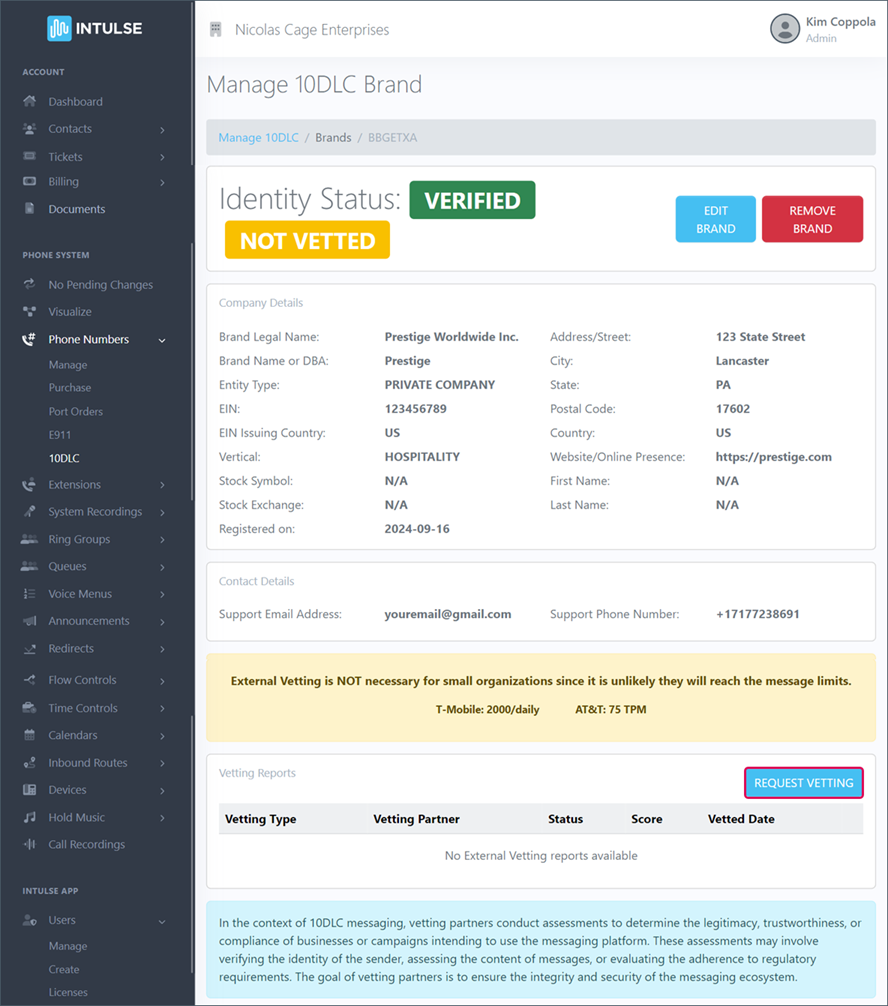
Third party vetting of your Brand is not required, but a good vetting score significantly increases the text limit for your organization.
These are the limits without third party vetting:
- T-Mobile allows up to 2000 daily texts.
- AT&T allows up to 75 transactions per minute
If you will not exceed these limits, vetting is not necessary. If you are a large organization who heavily utilizes business texting, third party vetting may be helpful.
To begin the process of having your brand vetted, select your brand.
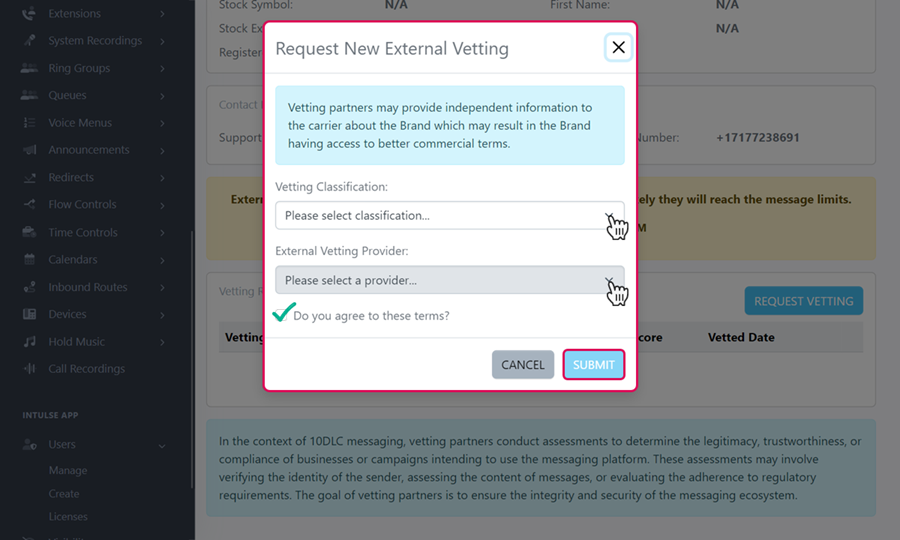
Click the blue Request Vetting button.
Select whether you want Standard or Enhanced Vetting.
- Standard Vetting: This has a $55 one time fee and can take from 30 minutes to several hours.
- Enhanced Vetting: This has a $120 one time fee and can take approximately 7 days. (Enhanced vetting will provide a more detailed report and vetting support from TCR. Intulse support will be available regardless of what type of vetting you select.)
Select the Provider from the dropdown list.
Check the box to agree to the terms and click the blue button to Submit.
You will receive your vetting report, and if vetting is not approved there will be a button to Appeal and resubmit. For additional assistance, open a ticket in the Account Center so our support team can help identify the problem and get this resolved for you as quickly as possible.
You are now ready to move on to the next step.
