1. LET'S GET STARTED!
10DLC Registration is ONLY REQUIRED IF YOU PLAN TO USE SMS TEXTING SERVICES THROUGH INTULSE.
- First, log into the INTULSE ACCOUNT CENTER.
- Click on PHONE NUMBERS in the Phone System menu to expand the heading.
- Select 10DLC from this list.
- Any Brands or Campaigns that you've created, or have been created for you, will appear here.
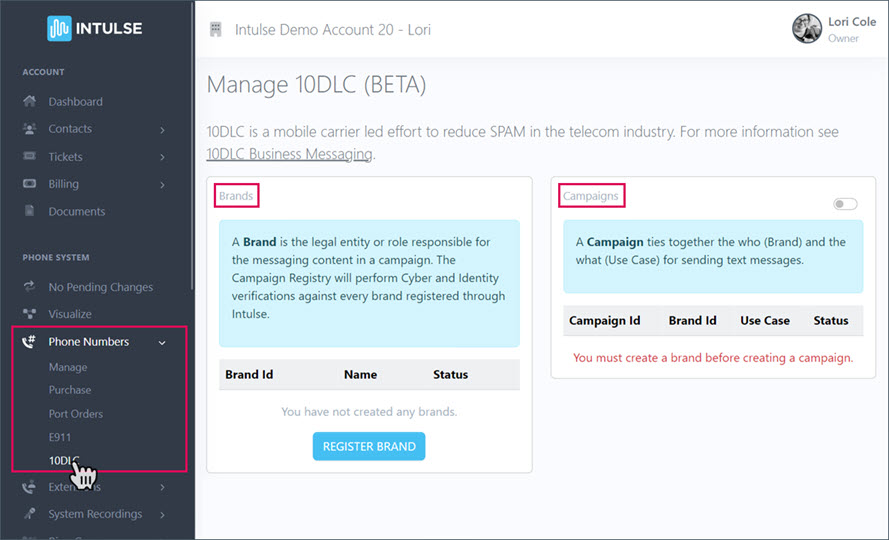
This is where you will come to update any of your Brand or Campaign details.
