
Now that your campaign has been APPROVED, it's time to begin adding the phone numbers that will for texting.
Go back to the INTULSE ACCOUNT CENTER.
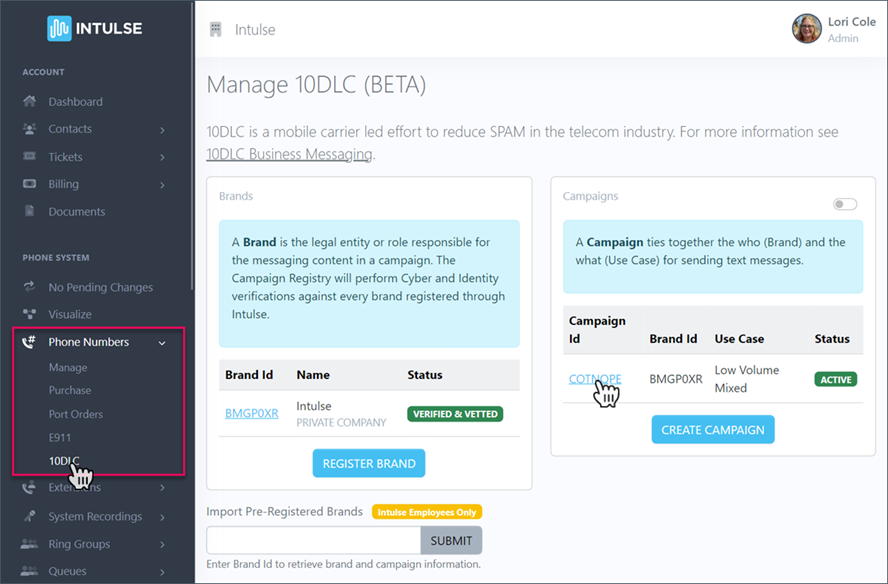
Click on PHONE NUMBERS and then 10DLC.
Select the CAMPAIGN to add phone numbers.
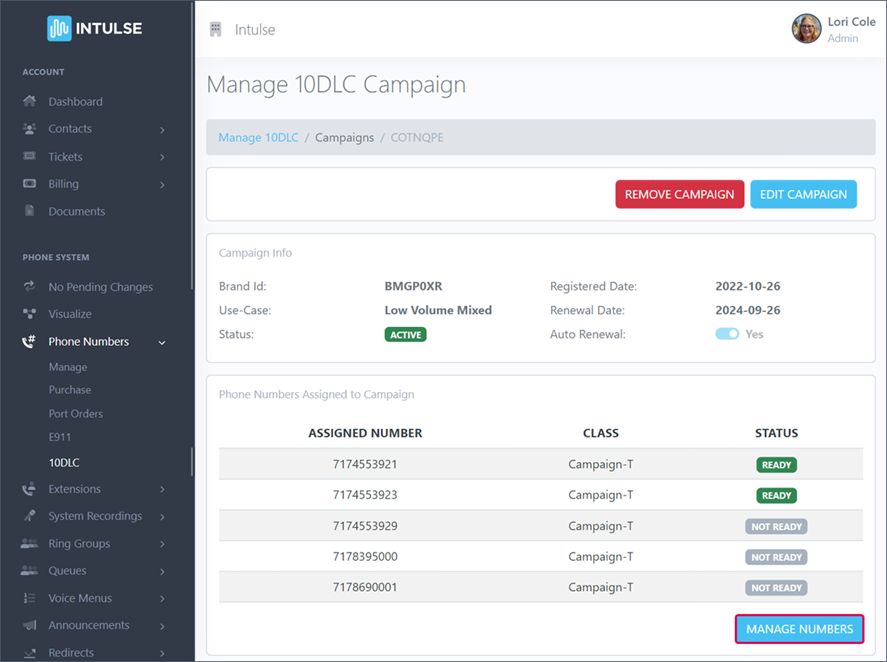
Under the section Phone Numbers Assigned to Campaign, click the blue button to MANAGE NUMBERS.
Use the drop-down and SELECT ANY NUMBERS that should be assigned to the campaign. Once they have all been added, click the blue SUBMIT button.
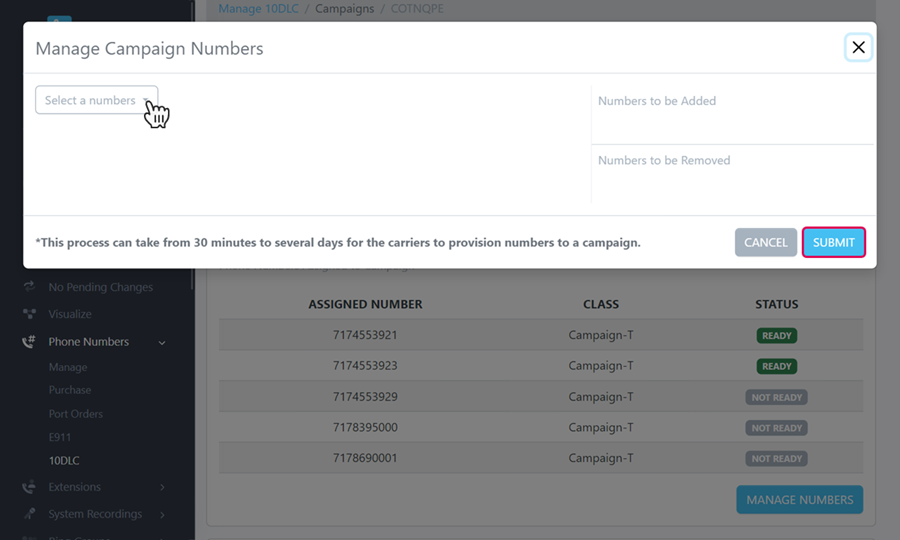
These numbers will not be immediately available for texting. They have been submitted to the mobile carrier for approval and this will take from 30 minutes up to several days.
Once they have been approved, your texting services will be restored and you'll be ready to conduct business as usual.