
There are some new settings for you mobile device that allow you to choose whether calls are presented directly through your cellular network or through the Intulse App using your data plan.
The first time you launch your app, you will be asked to choose whether you want to "Receive calls on this device".
If you've experienced missed calls or inconsistent call quality using your Virtual Phone on a data plan through the Intulse app, toggling this on will provide an improved experience. When this is toggled Off, your Intulse app will function exactly the same as it always has.
The Call Confirmation setting under the Follow Me Settings will require you to press 1 in order to accept and connect the call. This provides an additional reminder that you're receiving a call to your Intulse number.
Using the Phone Context Menu, choose your setting by clicking the Edit button. If this is your first time launching the app, it will say Setup instead of Edit.
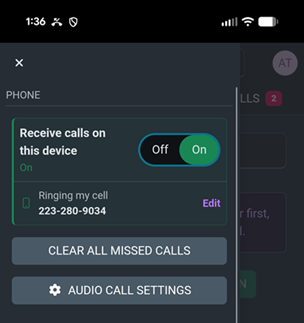
When Ring my Cell Number is selected, the Keypad will be hidden.
Enter a Contact's name or phone number in the Name/Number field and click the button to Start call on my extension.
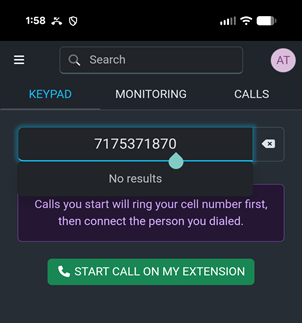
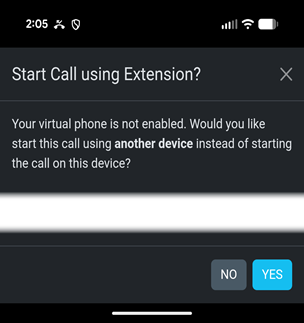
Click Yes to start the call on this device.
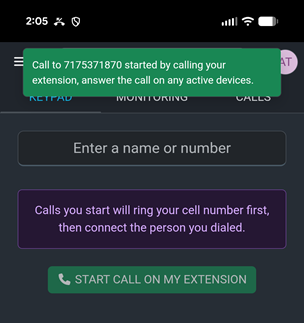
You will see a notification informing you that the call is being sent to your extension and you will need to answer it.
Click the button to Answer the call.
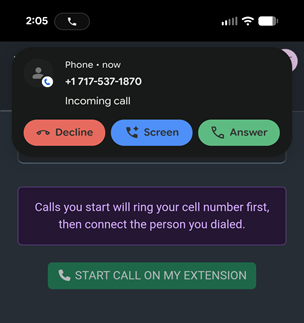
Once your call is active, you can return to the Intulse App to manage Call Recording or Call Transfer. This is the only functionality available when using this connection method.