

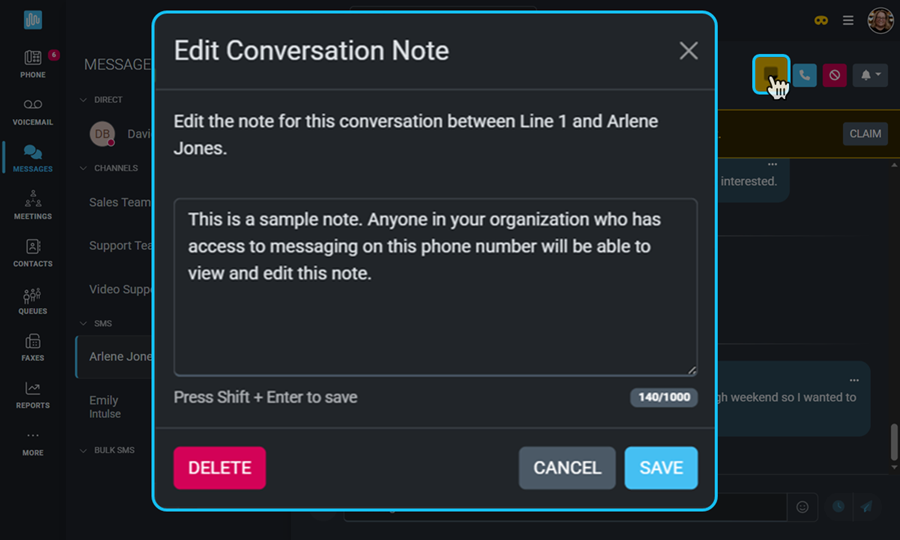
You can now add internal notes to conversations and create tags that will allow you to organize and filter your SMS conversations.
SMS conversations move fast—and important details can easily get lost. Notes and tags let you add behind-the-scenes context to your text messages, helping your team stay organized, aligned, and informed. These tools turn text threads into clear, searchable conversations that make follow-up easier and customer interactions more meaningful.
Click HERE to learn more about Messaging in the Intulse App!
Adding a note to a text conversation for your business serves several key purposes, including improved internal organization, stronger customer relationship management, and added support for compliance and legal protection.
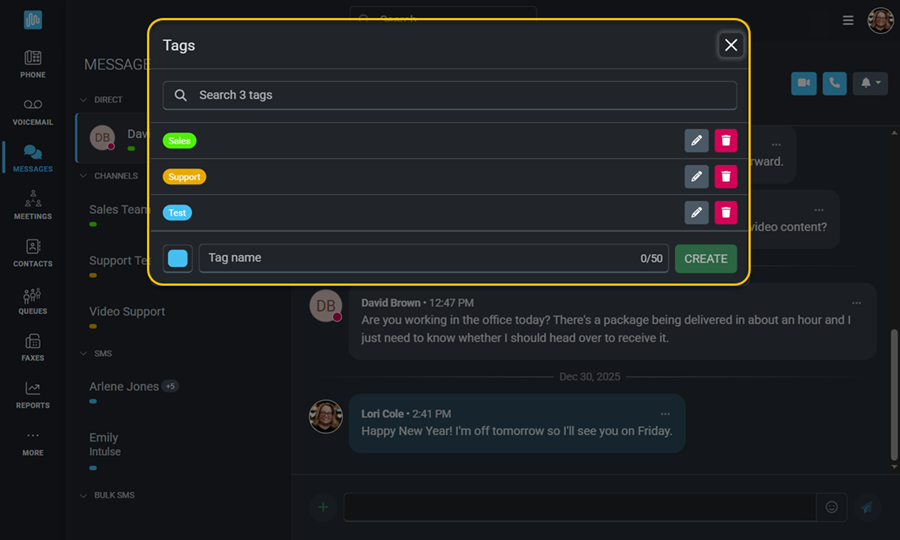
Use message tags to organize and prioritize your conversations. Create a custom tagging system to group messages in a way that fits your organization's workflow.
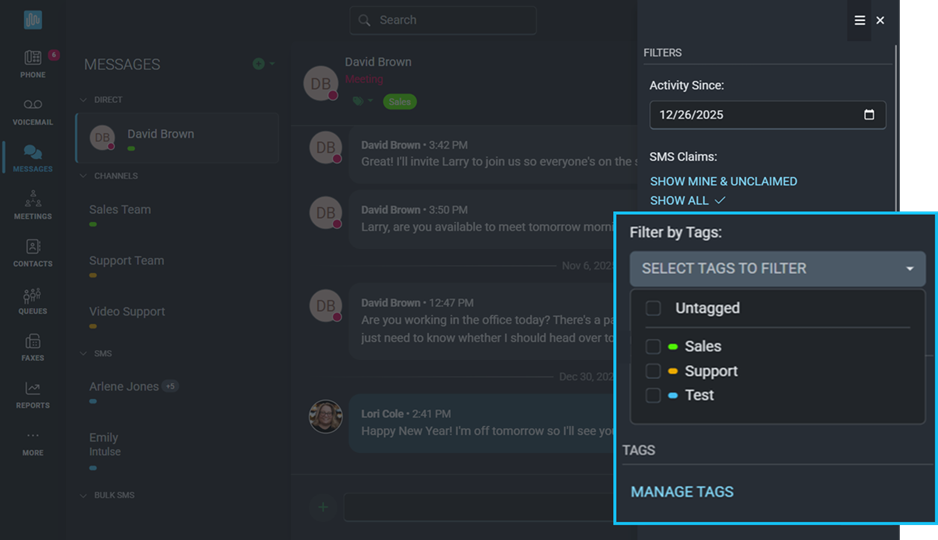
The Context Menu will allow you to filter conversations based on tags, as well as manage existing tags.
As always, we here at Intulse are so grateful for the opportunity to partner with your organization. If you have any questions or need support related to any of our services, please feel free to contact us via a support ticket, or give us a call. We are happy to serve you any way we can.