

The Intulse App now allows you to add multiple contacts to your SMS texts.
Group messaging works just like a group text on your cell phone. Each member of the conversation will see every comment in the thread. If you want to send bulk messages that are sent to each contact as an individual communication, check out our Bulk Messaging option. Click here to learn about all the types of messages available in the Intulse app. Expand the SMS Text Messages heading to learn more about group texting.
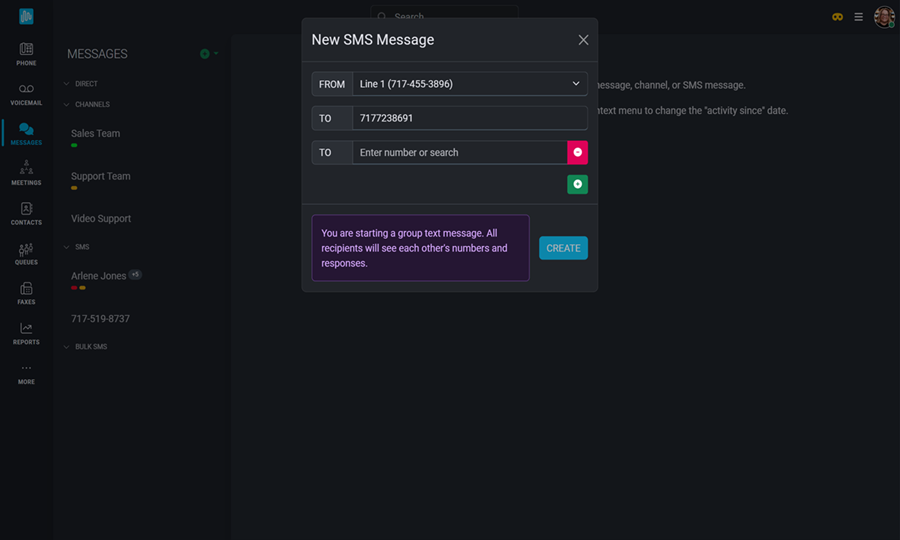
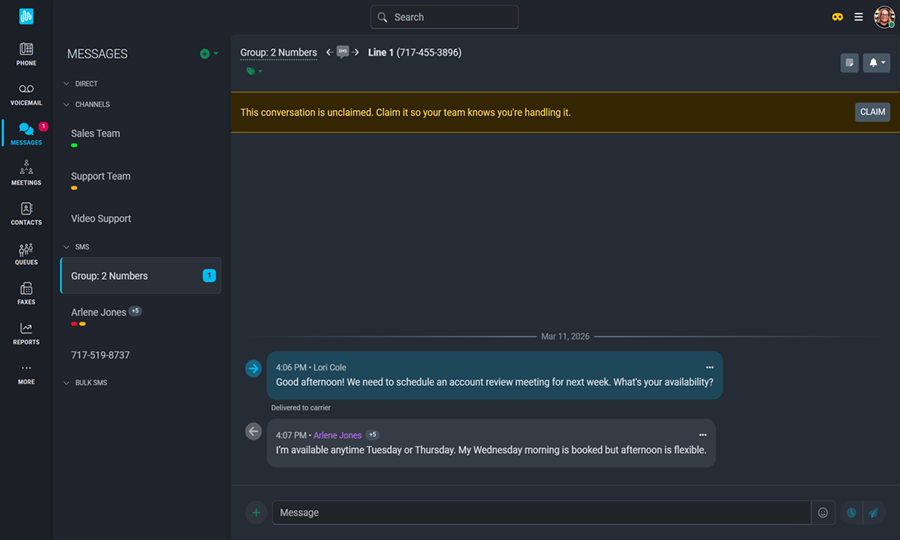
Once the conversation has been started, each comment will display the date, time, and name of the contributor. Just like any other SMS message in the app, these group conversations can be tagged and claimed. The conversation can be renamed by clicking on the group name at the top of the screen.
Images, videos, files, audio clips, GIFs, templates, and emojis can all be added to your message. Comments in a group text can be sent immediately or scheduled to send at a later date/time. Group messages will also be logged in any CRM where text logging is authorized.
As always, we here at Intulse are so grateful for the opportunity to partner with your organization. If you have any questions or need support related to any of our services, please feel free to contact us via a support ticket, or give us a call. We are happy to serve you any way we can.