

Keep your team informed! Set a custom status to share your availability and use Smart Monitoring to see when others are free.
Creating a custom status allows others in your organization to see whether you're busy, available, on the phone, in a meeting, or any other message you choose to display. You can also enable settings like Do Not Disturb, Call Waiting, Call Forwarding, and Chat Notifications to automatically apply to each status you create.
Smart Monitoring lets you easily view the status of your coworkers in real time. You can see their availability, along with any custom status details they choose to share. Depending on your organization’s settings, you may also be able to view Caller ID information for any calls they’re currently on.
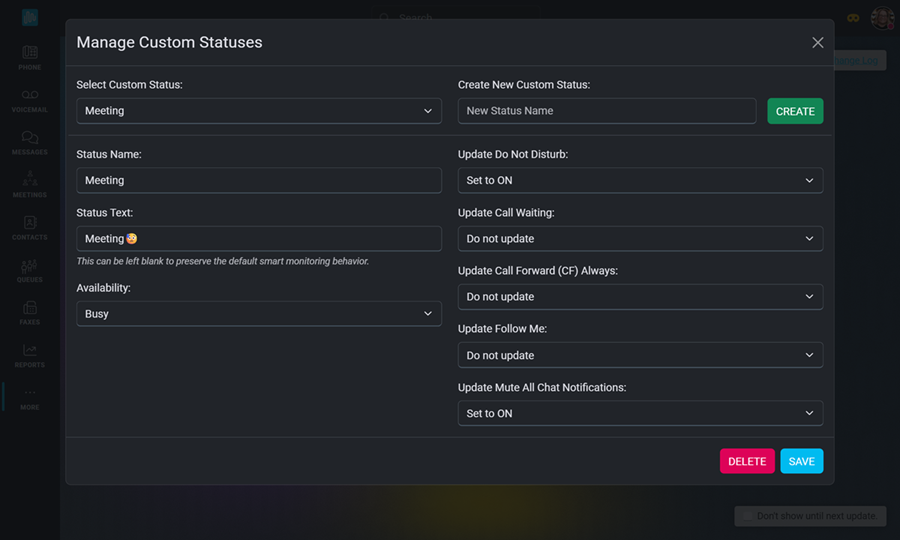
Click on your Profile Image to open the User Menu. This is where you can create or manage any custom statuses for your extension. Enter the status text that will let other users know your availability. Select the settings for DND, Call Waiting, Call Forward, and Chat Notifications. Come back here anytime you need to update these settings or select a new status. Click HERE for step-by-step instructions on creating a new status.
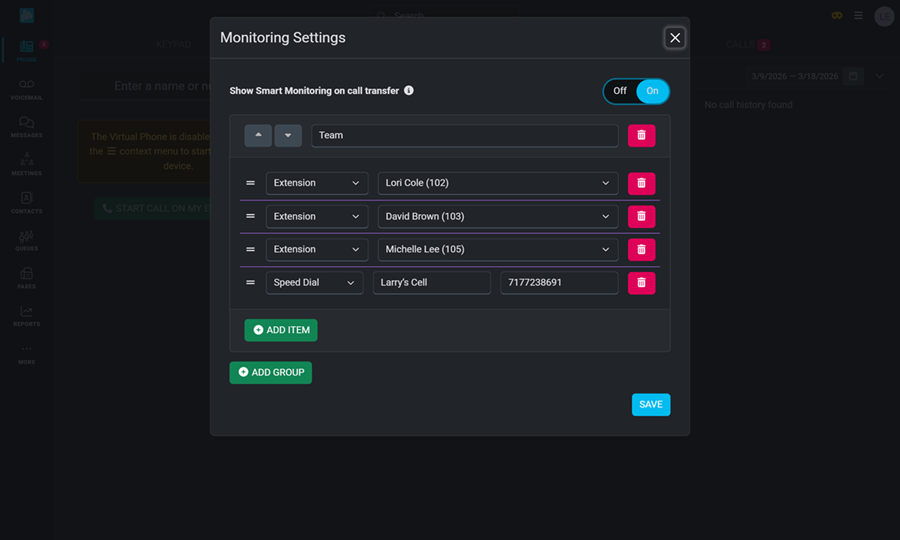
Setting up Smart Monitoring allows you to stay connected and informed by giving you real-time visibility into your team’s availability and activity. Select from available extensions to see who is on a call, add speed dials for frequently called contacts, select flow controls to easily toggle on or off, or add BLF buttons for quick access to voicemail boxes or other shared extensions. Click HERE for instructions on how to set up Smart Monitoring for your extension.
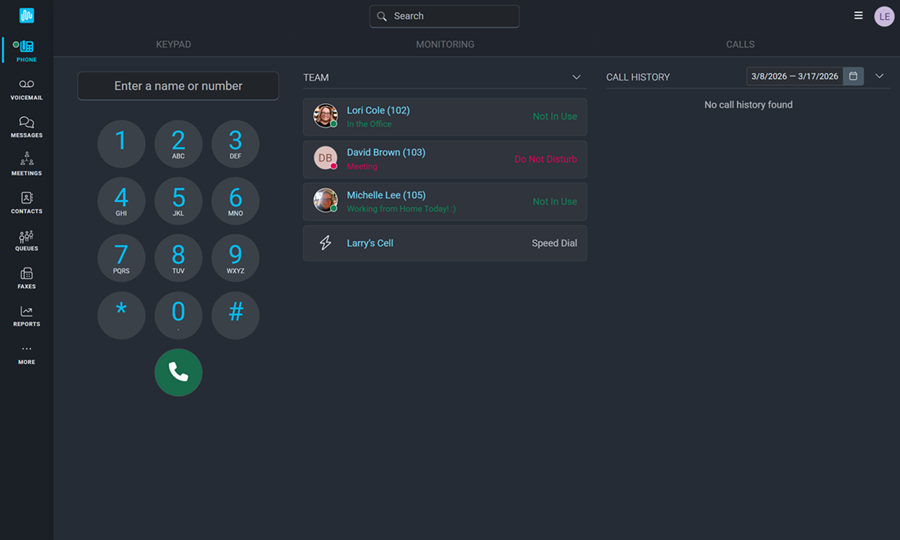
Once Smart Monitoring is set up, you will see your selected setup on the Phone Screen. From here, you can click on a user's name to call their extension, call their voicemail, send them a chat message, or video call them. If you've added flow controls, you'll see a toggle button allowing you to turn it on or off. Simply click the name of a speed dial contact to initiate the call. Smart Monitoring is a valuable tool that puts key contacts right at your fingertips, allowing you to manage communication with a single click. Click HERE to learn more about using Smart Monitoring once it's been set up.
As always, we here at Intulse are so grateful for the opportunity to partner with your organization. If you have any questions or need support related to any of our services, please feel free to contact us via a support ticket, or give us a call. We are happy to serve you any way we can.